
One workout with the client app
From the NFC tag on the equipment to the training speed and checking off – and what the studio sees from it.
What your client sees at the equipment
After the scan, the client app shows the equipment with all targets from the training plan. The training speed display leads through every set – and through the rest.
- All settings at a glancePicture of the equipment, weight, seat height, backrest, sets, reps, rest and RPE – exactly as the trainer planned it.
- Training speed to followA ball moves along the curve at the training speed from the plan, e.g. 2-0-1: 2 seconds up, 0 hold, 1 second down. The counter counts the reps.
- Rest with countdownAfter the set, the rest counts down as a ring – then the next set follows. No sound, no distraction.
Exercises – three ways to train
For exercises without equipment, the trainer also chooses in the plan how they are done:
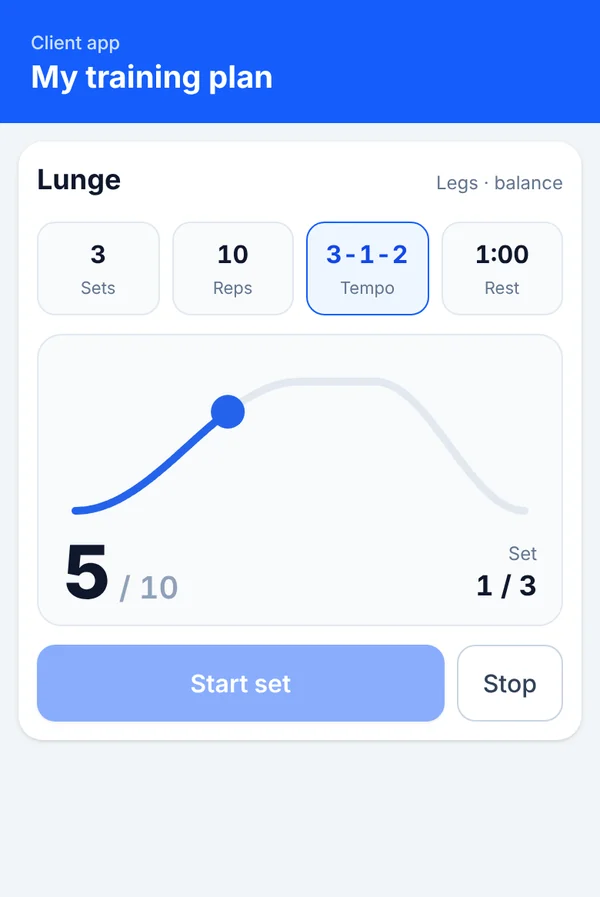
Reps at a set training speed
The same training speed display as on the equipment.
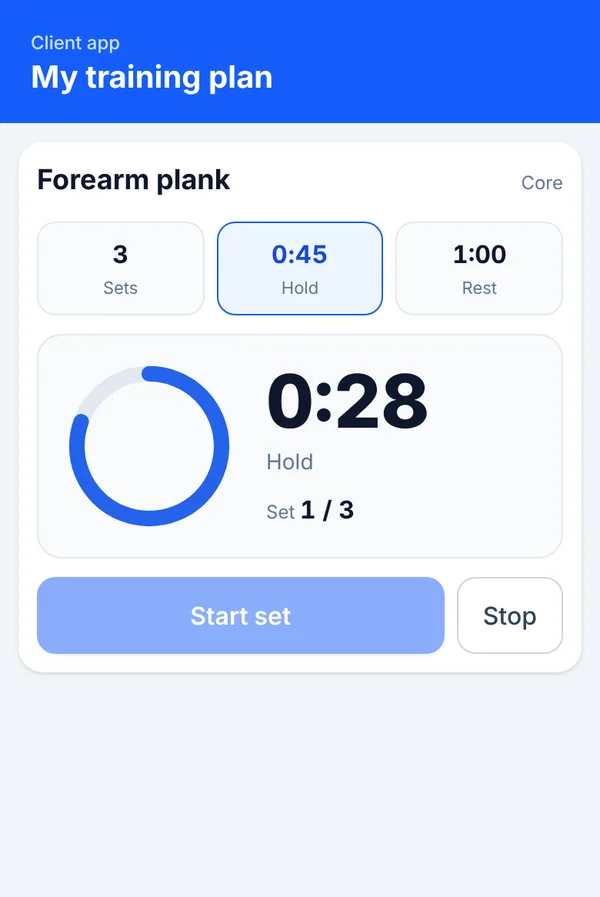
Hold with countdown
A ring counts down the hold time for each set, e.g. a 45-second forearm plank.
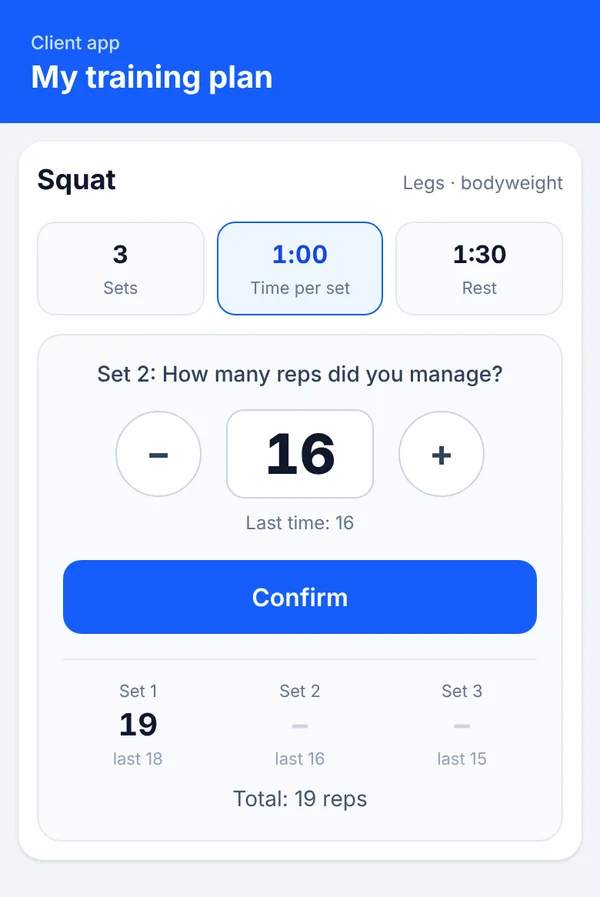
As many as possible
As many reps as possible in a fixed time – the client enters each set and sees how many it was last time.
Example display with sample data. The client app runs in the browser on any smartphone – without NFC as well, via the training plan.
What the client app can do
A personal area for every client – with everything they need for their training and for staying in touch with the studio.
Training plan
The released plan with all equipment and exercises. “New” or “Updated” shows when the trainer has changed something.
Equipment card with training speed
Picture, settings and weight for each piece of equipment, plus training speed, sets and rest to follow.
Check off with feedback
Check off each piece of equipment with “Done” – optionally with pain, complaints or a note for the trainer.
Training history
All training sessions at a glance, with the sets for “as many as possible” exercises.
NFC and QR code at the equipment
Hold the phone to the tag on the equipment or scan the QR code – the targets from the plan appear right away.
Messages
Write questions directly to the trainer – no e-mail, no messenger.
Documents
Open assessments and documents from the studio as PDF and upload your own documents.
News and announcements
News and announcements from the studio, also targeted at specific groups.
Surveys
“Your opinion matters”: answer the studio's surveys – anonymously if the studio chooses.
Report a problem
Broken equipment or a suggestion? Report it with a photo and see the studio's reply in the app.
Appointments
With a personal trainer: your own appointments with location.
Own data and language
Keep contact details up to date, view the privacy consent, use the app in German or English.
How the app gets onto the phone
The client app is a web app (PWA). It runs in the browser and then sits on the home screen like a normal app – on Android and iPhone.
- Invitation – The studio invites the client by e-mail from MedFitScience.
- Activate access – The client activates their access via the link. The invitation is valid for 7 days.
- Add to the home screen – Choose “Install app” or “Add to Home Screen” in the browser – done. The client stays signed in.
The client app is included in the price of MedFitScience.
Phone to the equipment – the workout appears
Every piece of equipment has a small NFC tag. When the client holds their phone to it, the equipment card from their plan opens. You write the tags yourself – directly from MedFitScience.
Fast
No searching in the plan: one move and the right targets are there.
Set up yourself
Create the equipment, click “Write NFC tag”, place the tag – no technician needed.
Works without NFC too
Every equipment link is also available as a QR code – for phones without NFC.
Secure and personal
- Sign-in required: Every client only sees their own data and their own plan.
- No client data on the tag: The NFC tag only contains the link to the equipment.
- No assessments by e-mail: Documents are kept protected in the client's personal area.
- Anonymous surveys: For anonymous surveys, the studio only sees summaries, and only from 5 responses.
For studios and personal trainers
Studios
All features: training plan with equipment card and training speed, NFC and QR codes on the equipment, news and announcements, surveys, “Report a problem”, messages and documents.
Personal trainers
Training plan with training speed, training history, appointments with location, news, surveys, messages and documents. Without NFC, because clients often train in different studios.